
🌿 Git Viewer — Commit Range Diff
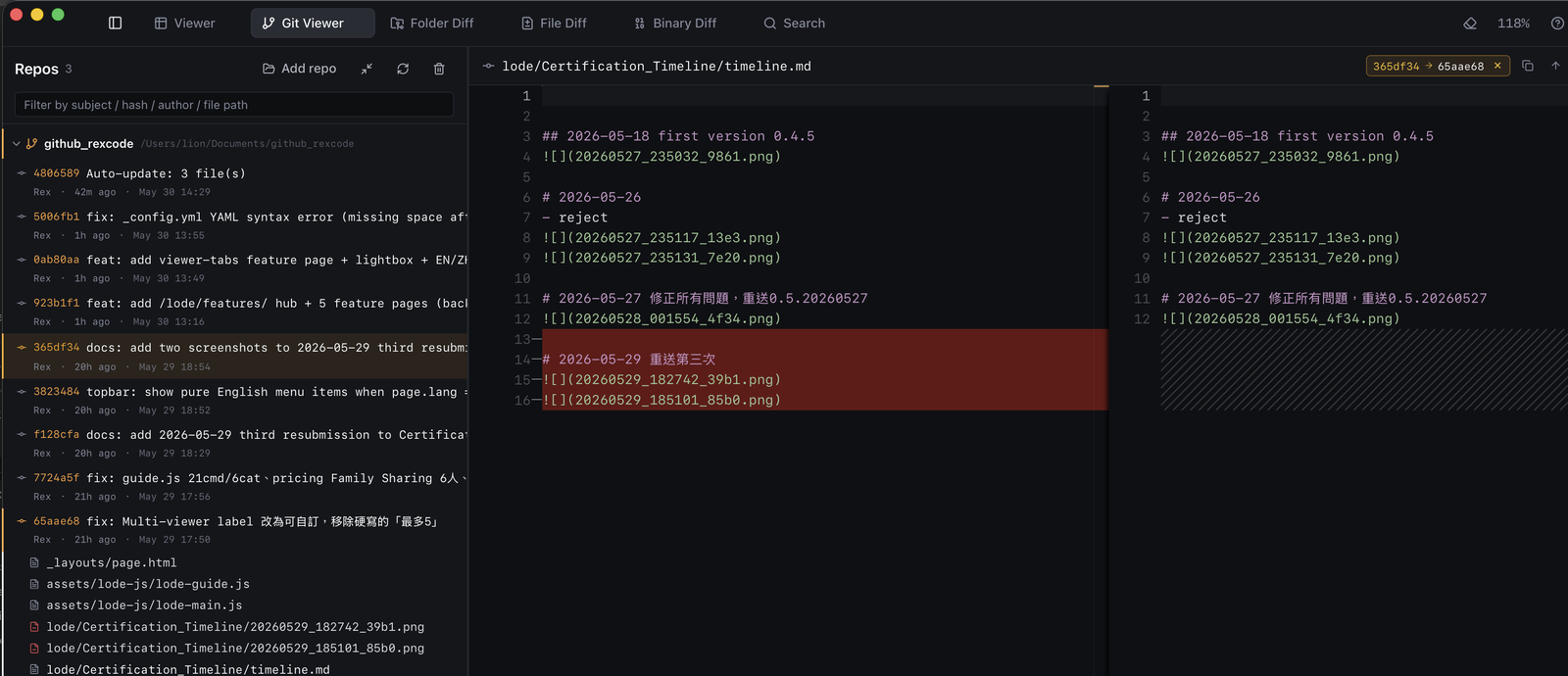
Right-click any commit to pin it as the diff baseline, then click another to see every change across the entire range — in Monaco side-by-side.
Set compare base & select range

How to use
- Right-click the first commit (FROM) → select "Set as compare base" (or ⌘+click).
The commit gets an amber Base pill. - Left-click the second commit (TO).
- The Changed files panel below shows the diff between FROM and TO.
- Click any changed file → Monaco displays the full cross-commit range diff.
Highlights
- Range diff — compare any two commits in history, not just adjacent ones.
- Amber Base pill — clear visual indicator of which commit is pinned as FROM.
- Monaco diff engine — syntax highlight, inline change markers, same as File Diff mode.
- No external tools — all inside Lode, no terminal, no
git diffcommand needed.