
🔗 Backlinks & Outgoing Links
Open any Markdown file and instantly see what links to it and what it links out to — zero setup, working directly against your existing folder.
How it works
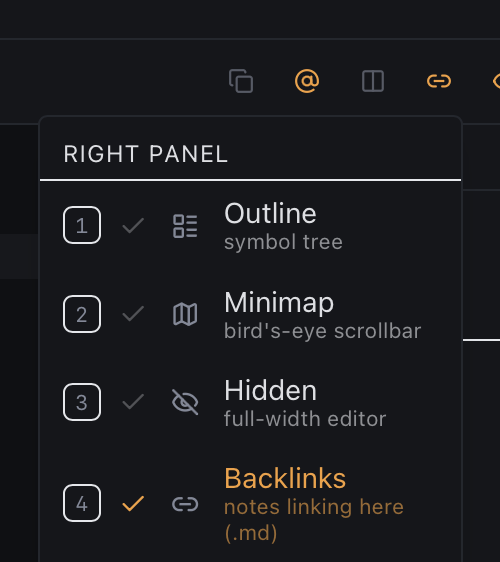
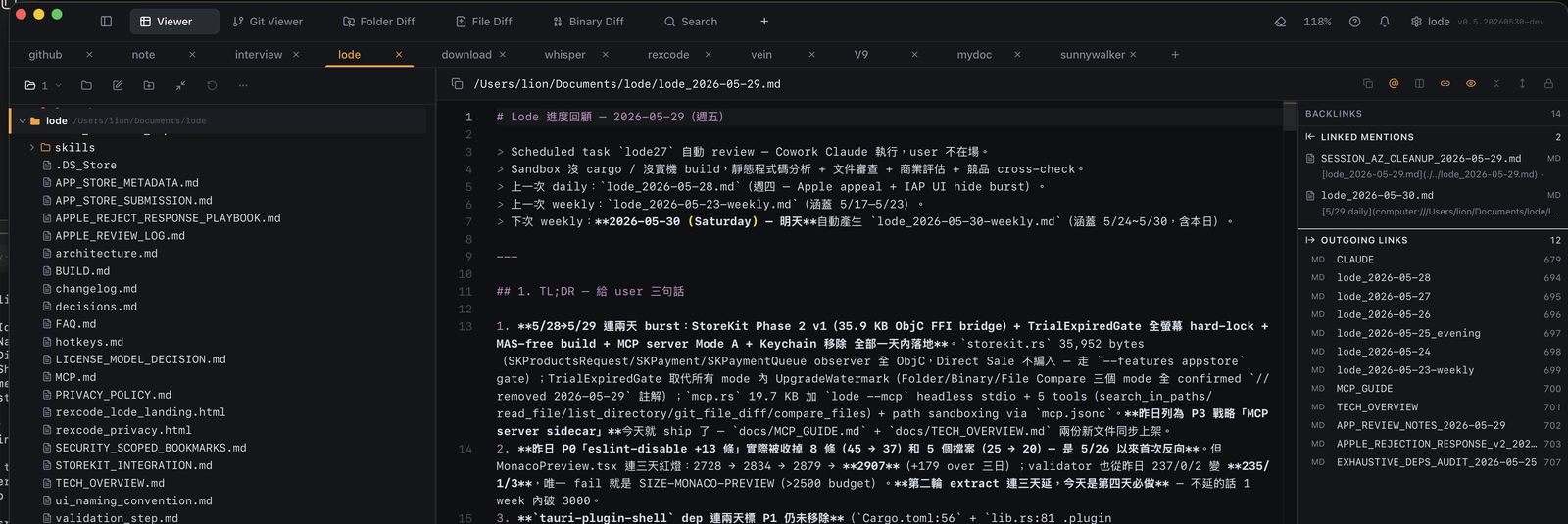
Lode's Viewer adds a Backlinks side panel. Open any .md file, switch to Backlinks mode (right-panel menu, or press 4):
- Linked mentions — every other note in the folder that references the current file via
[[wikilink]]or[text](file.md), with the line number and a preview. - Outgoing links — the files this note links to.
Click any row to jump straight to that file. Nothing is written to disk — it scans the Markdown you already have, live.
Highlights
- Zero setup — no vault, no root selection, no import. Whatever folder you opened is the scan scope.
- Nothing persisted — no index file or cache database left in your notes folder.
- Both syntaxes — Obsidian-style
[[wikilinks]](alias & heading) and standard[text](path.md). - Fast on large folders — background scan, auto-cancels previous scan on file switch.
How to use
- Open a
.mdfile in Viewer. - Click the panel button (top-right of preview) and pick Backlinks, or press 4.
- Browse Linked mentions and Outgoing links — click any row to open that file.